
FAQ / Saving Items / How to get Moonsift to add a new ‘Quick-save’ store
How to get Moonsift to add a new ‘Quick-save’ store
Go to the store's website you want added to Moonsift.
Click on the Moonsift icon in the top right of your browser. If you can’t see a Moonsift icon, click the puzzle to first pin Moonsift to your toolbar.

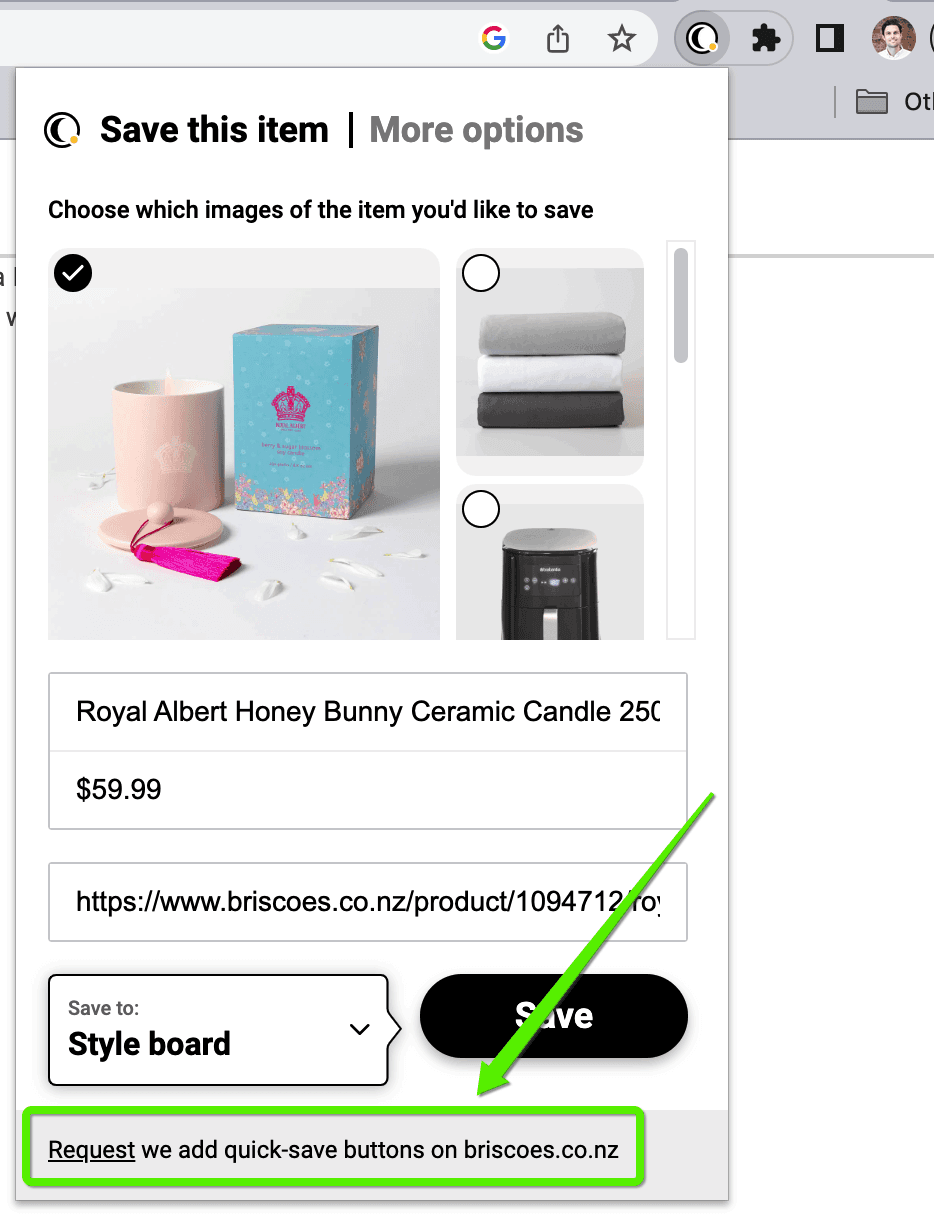
Click ‘Request’ at the bottom of the window that opens when you click the Moonsift icon. We aim to add new retailers within 7 days and will email to let you know when the site you requested has been added.
Can’t find the question you’re looking for? Send us an email at hello@moonsift.com